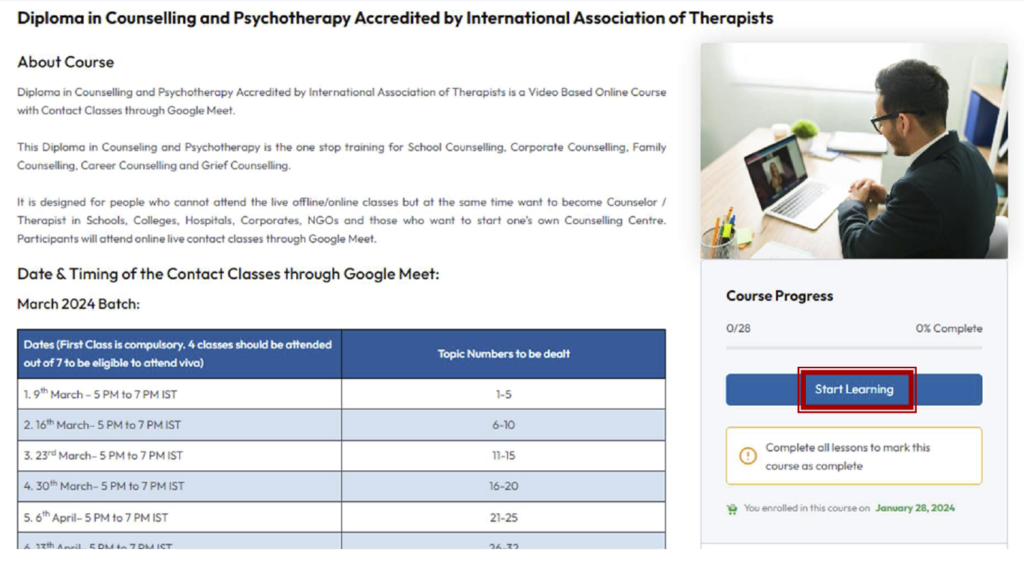
Step 1: Once your account is activated, please go to “Our Course” page. You will see the button “Start Learning”. Click on it.
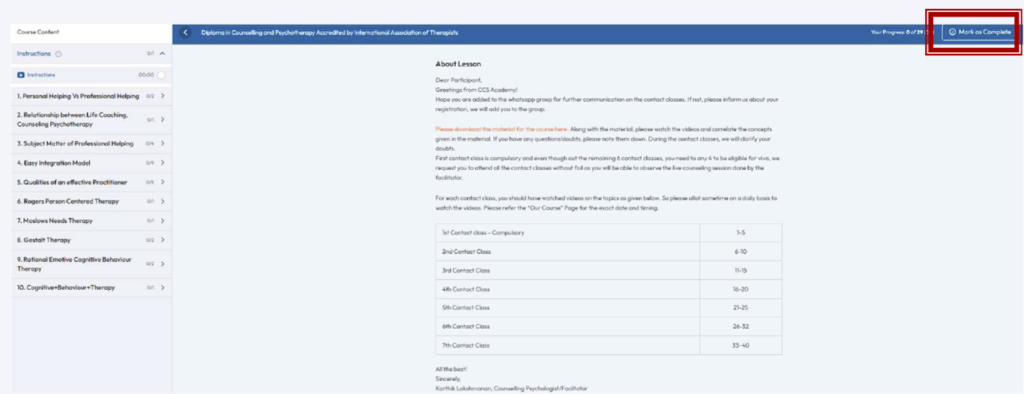
Step 2: You will see the below screen. The first thing you need to do is reading the instructions and downloading the material. Once you read it completely, press the button “Mark it complete” on the top right corner. Only then you will be able to see the next lesson/video.
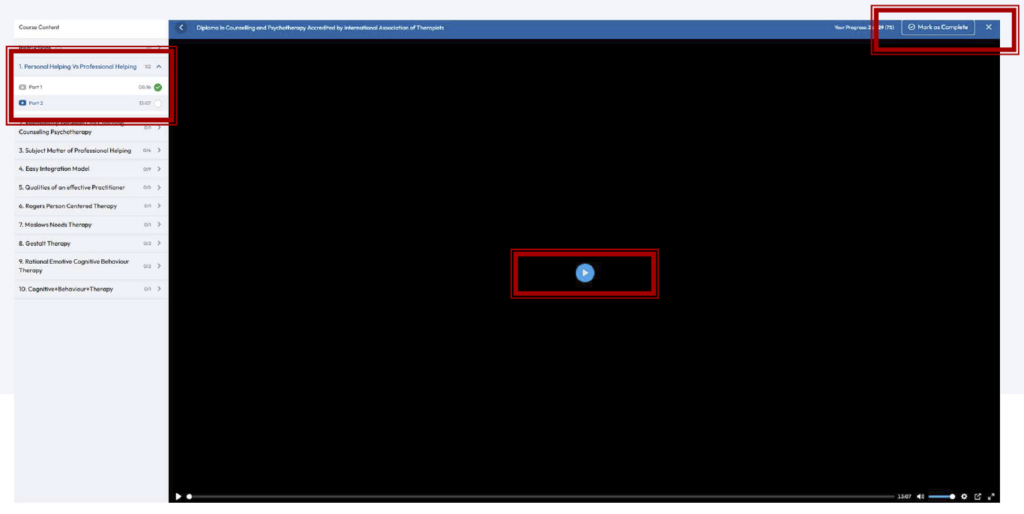
Step 3: On the left side, you will be able to see the contents. Click on Chapter No. 1: Personal Helping Vs Professional Helping and you will be able to see the videos under the chapter. Click on “Part 1. You will see the below screen. Click on the play button. You will be able to watch the video. Once it is over, press “Mark it complete”.